How to use Monero (XMR)
A quick guide to setting up a Monero wallet, acquiring XMR, and paying invoices with private, untraceable cryptocurrency.

Overview

Monero is a privacy respecting electronic cash that allows for fast, inexpensive payments to and from anywhere in the world where every transaction is private and completely untraceable.
Get Started
Set up your Wallet
Download CakeWallet to create a Monero (XMR) wallet and follow their setup instructions.

Get some Monero (XMR)
Users can obtain Monero by:
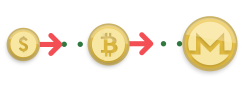
- Creating a new Bitcoin (BTC) wallet within Cake
- Clicking ‘Buy’ to purchase Bitcoin using ApplePay or card payments
- Exchanging the Bitcoin for Monero through the platform
Pay Invoices using Monero
To pay invoices in Monero:
- Select ‘crypto payments’ as your payment method on outstanding invoices
- Copy the wallet address provided
- Select ‘Send’ from your Monero wallet and paste the address
- Alternatively, scan the QR code from the Cake wallet app
- Notify the recipient by sending the Transaction ID and Invoice Number via email or Telegram

For additional information, visit getmonero.org.
Donate here:

44BtMn9izxH8mK2yFbSdY6Di7TNobkLbnHdZ6gZQjukCME5vsNhtPRtH4TcVkDHKHLhSpAJbsjv8gCdYuSZVMpXgMkUC1hV